Sale Price:
$1.99
Original Price:
$6.99
THE ONE DECISION
There's a choice you've been putting off. You've turned it over in the shower, at red lights, and at 2 a.m., and you're no closer than you were a month ago. The One Decision walks you through it step by step so you can finally make the call and move on with your life.
Made for what comes after clarity
If you've used the Clarity Journal, you already know what you've been waiting on. Sometimes knowing what you want still leaves you stuck between two paths: take the job or stay, have the conversation or let it go, start now or wait until spring. This worksheet is for that moment.
What's inside
Five short steps that take about 15 minutes.
Name It: get specific about the decision and what putting it off has cost you.
Lay Out the Options: weigh the best case, worst case, and unique payoff of each choice.
The Worst-Case Check: make the fear specific so you can see how big it really is.
What You Already Know: hear what part of you has already decided, including a coin flip that reveals which side you're secretly hoping for.
Decide: choose, set a date, name your first action, and pick the person you'll tell. You'll get a decision card to screenshot and keep.
How to use it
The worksheet opens on your phone like an app. Tap Start and move through each step with the Back and Next buttons. Your answers save automatically as you type, so you can stop and come back anytime. When you're done, you can copy everything into your notes or an email to yourself. Facing another decision later? Start over with a fresh worksheet whenever you need it.
Add it to your home screen
This is optional, and it keeps the worksheet one tap away for the next time you're stuck.
iPhone: Open your link in Safari, tap the share button (the square with the arrow), then tap Add to Home Screen.
Android: Open your link in Chrome, tap the three dots in the corner, then tap Add to Home screen or Install app.
Good to know
Your answers are private and stay on your phone. Use the same device each time, since clearing your browser data will erase your entries.
You've thought about it long enough.
THE ONE DECISION
There's a choice you've been putting off. You've turned it over in the shower, at red lights, and at 2 a.m., and you're no closer than you were a month ago. The One Decision walks you through it step by step so you can finally make the call and move on with your life.
Made for what comes after clarity
If you've used the Clarity Journal, you already know what you've been waiting on. Sometimes knowing what you want still leaves you stuck between two paths: take the job or stay, have the conversation or let it go, start now or wait until spring. This worksheet is for that moment.
What's inside
Five short steps that take about 15 minutes.
Name It: get specific about the decision and what putting it off has cost you.
Lay Out the Options: weigh the best case, worst case, and unique payoff of each choice.
The Worst-Case Check: make the fear specific so you can see how big it really is.
What You Already Know: hear what part of you has already decided, including a coin flip that reveals which side you're secretly hoping for.
Decide: choose, set a date, name your first action, and pick the person you'll tell. You'll get a decision card to screenshot and keep.
How to use it
The worksheet opens on your phone like an app. Tap Start and move through each step with the Back and Next buttons. Your answers save automatically as you type, so you can stop and come back anytime. When you're done, you can copy everything into your notes or an email to yourself. Facing another decision later? Start over with a fresh worksheet whenever you need it.
Add it to your home screen
This is optional, and it keeps the worksheet one tap away for the next time you're stuck.
iPhone: Open your link in Safari, tap the share button (the square with the arrow), then tap Add to Home Screen.
Android: Open your link in Chrome, tap the three dots in the corner, then tap Add to Home screen or Install app.
Good to know
Your answers are private and stay on your phone. Use the same device each time, since clearing your browser data will erase your entries.
You've thought about it long enough.
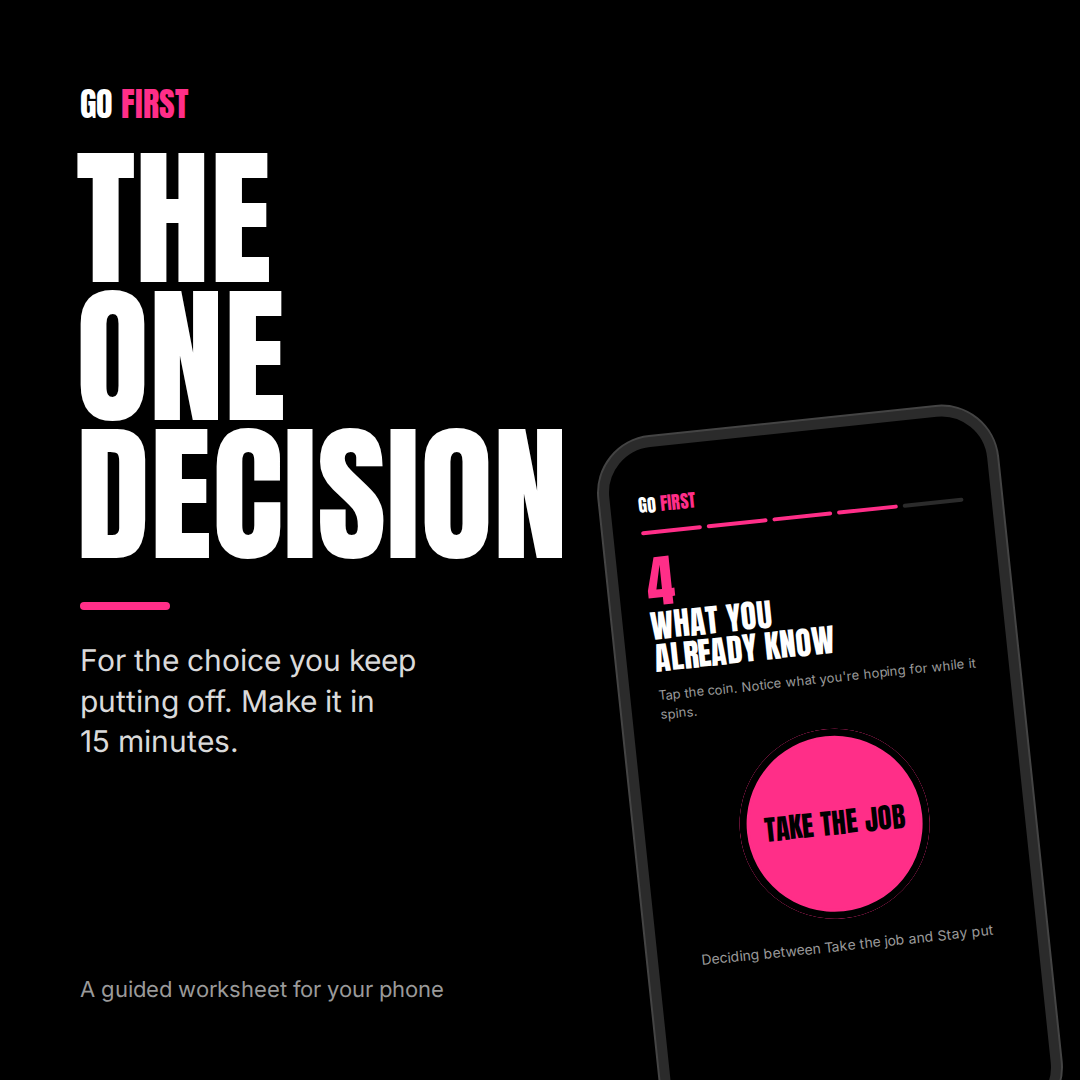 Image 1 of 1